
Custom Admin Dashboards vs Excel: When Does It Make Sense to Upgrade?
Customer records in one spreadsheet, project updates in another, quotes arriving by email and deadlines scattered across calendars. For a small business, this can be an entirely practical starting point. The trouble begins when information has to be entered several times, nobody is certain which file is current, and administration consumes hours every week.
That is when replacing Excel with a custom admin dashboard starts to sound appealing. But the decision is rarely just “spreadsheet or expensive custom application”. A better spreadsheet, an existing CRM, a small integration or a focused web tool may be the more sensible answer.
This guide explains when a business should consider moving beyond spreadsheets, what custom internal tools can actually solve, and what I have learned from two projects. If you are already looking for development help, you can explore my custom web development services.

In short: a custom admin tool can make sense when it improves a repeatable, well-defined workflow and reduces unnecessary manual work. If your spreadsheet still works well or an existing app covers your needs, rebuilding everything from scratch is usually unnecessary.
When is Excel enough, and when does it become a bottleneck?
Excel and Google Sheets are useful, capable tools. A new business can use them to manage contacts, expenses, simple tasks and reports. Shared editing, filters and formulas can be more than sufficient for a small team.
The problem starts when a spreadsheet becomes a substitute for an entire business workflow. A single request may need to travel through multiple files, manual checks and approval steps before anyone can act on it. At that stage, the first task is to understand the process – not immediately commission new software.
Five signs you may need a custom internal admin tool
1. You enter the same information in several places
If a new enquiry arrives by email, gets copied into Excel and is then entered into another project tracker, every duplicate step adds time and risk. A database-driven workflow can allow information to be captured once and reused in different views.
2. Nobody knows which version is current
When multiple files circulate, determining the most recent status becomes difficult. A central internal admin dashboard can keep the customer, quote or task status in one agreed place.
3. You repeat the same checks every week
Importing records, checking expired offers, preparing reports or updating statuses may be candidates for automation. The goal is not to eliminate every manual task, but to reduce avoidable repetition.
4. Different users need different access
One colleague may only need to view records, another to edit them and a manager to approve changes. Spreadsheets offer sharing features, but more complex roles may be easier to handle in a purpose-built interface.
5. Information comes from several systems
Website forms, partner XML feeds, external APIs or regular CSV exports may all contribute to the same process. If someone has to combine this information manually, a targeted web integration can be more valuable than another spreadsheet.
What can a custom admin dashboard actually do?
Custom business software does not have to mean a full enterprise platform. Even a focused browser-based dashboard can be useful when its features follow a real workflow.
- Lead and quote tracking: enquiries, statuses, owners and next steps.
- Project administration: deadlines, tasks, notes and related documents.
- Databases and search: consistent, sortable and filterable records.
- Automation: scheduled imports, checks and notifications where appropriate.
- Permissions: role-based access and suitable activity logging.
- Integrations: connecting website data with partner systems or other business tools when technical access is available.
These are possible functions, not a fixed package included in every project. The right scope depends on the users, data sources and actual tasks.
Real project: Ildiana Tours – the difficult part happens behind the travel listings
The Ildiana Tours travel website case study illustrates why the value of custom software often lies behind the interface. Travel offers arrive from different partners, with different fields, formats, dates and image references.
Alongside manually edited content, the project involves processing partner XML feeds, normalising records, categorising offers, filtering duplicates and running automated checks. The update processes help keep a growing catalogue of travel offers manageable.
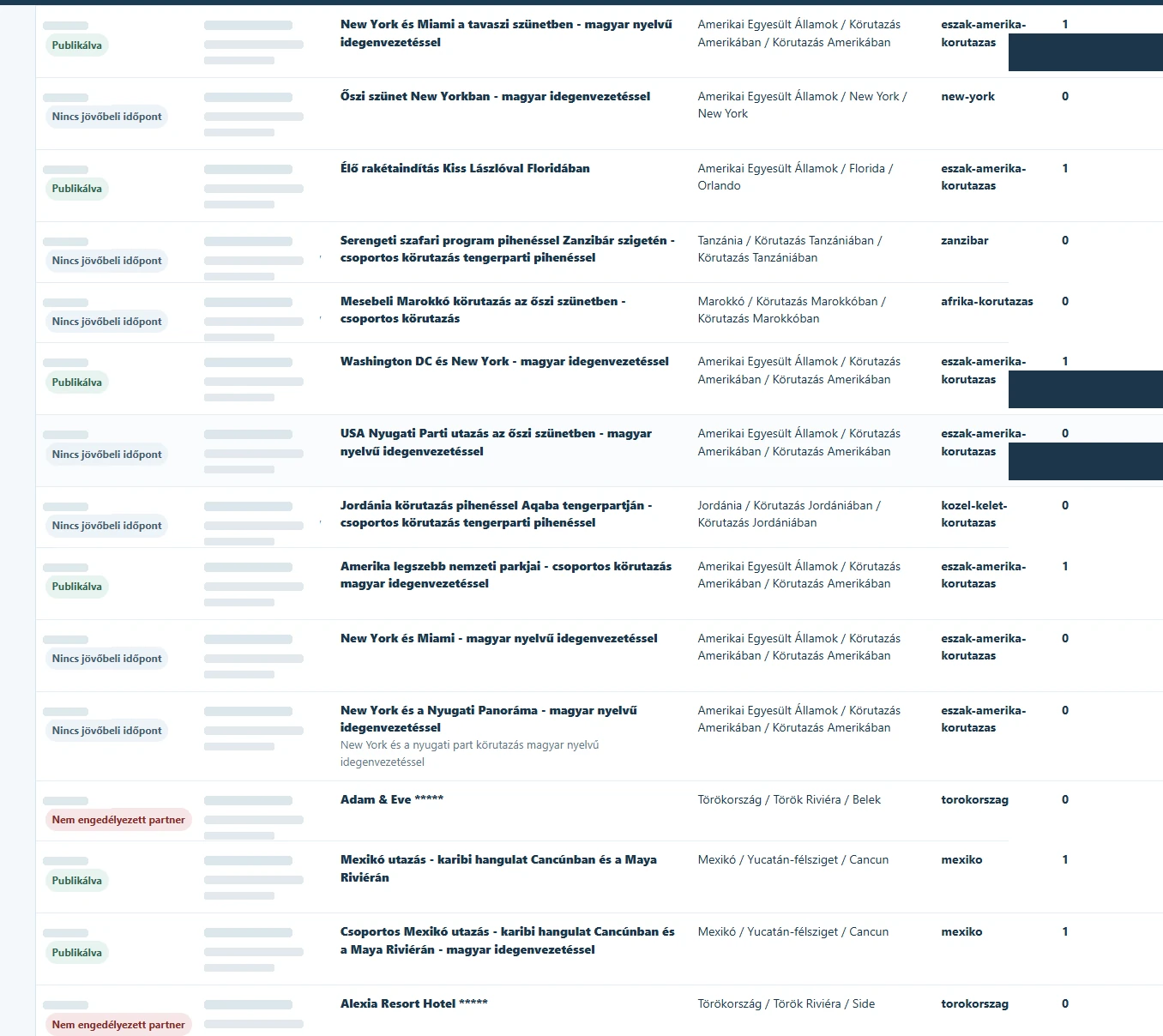
Visitors see searchable travel offers and an enquiry process. Behind that experience are data imports, transformation and quality checks. This is not a direct booking engine: final prices and availability are confirmed through the personal enquiry process.
The two articles answer different questions: the Ildiana Tours case study documents a concrete implementation, while this guide helps business owners decide when a similar data-management challenge might justify a custom tool.
My own workflow: the Blasterr Design internal admin system
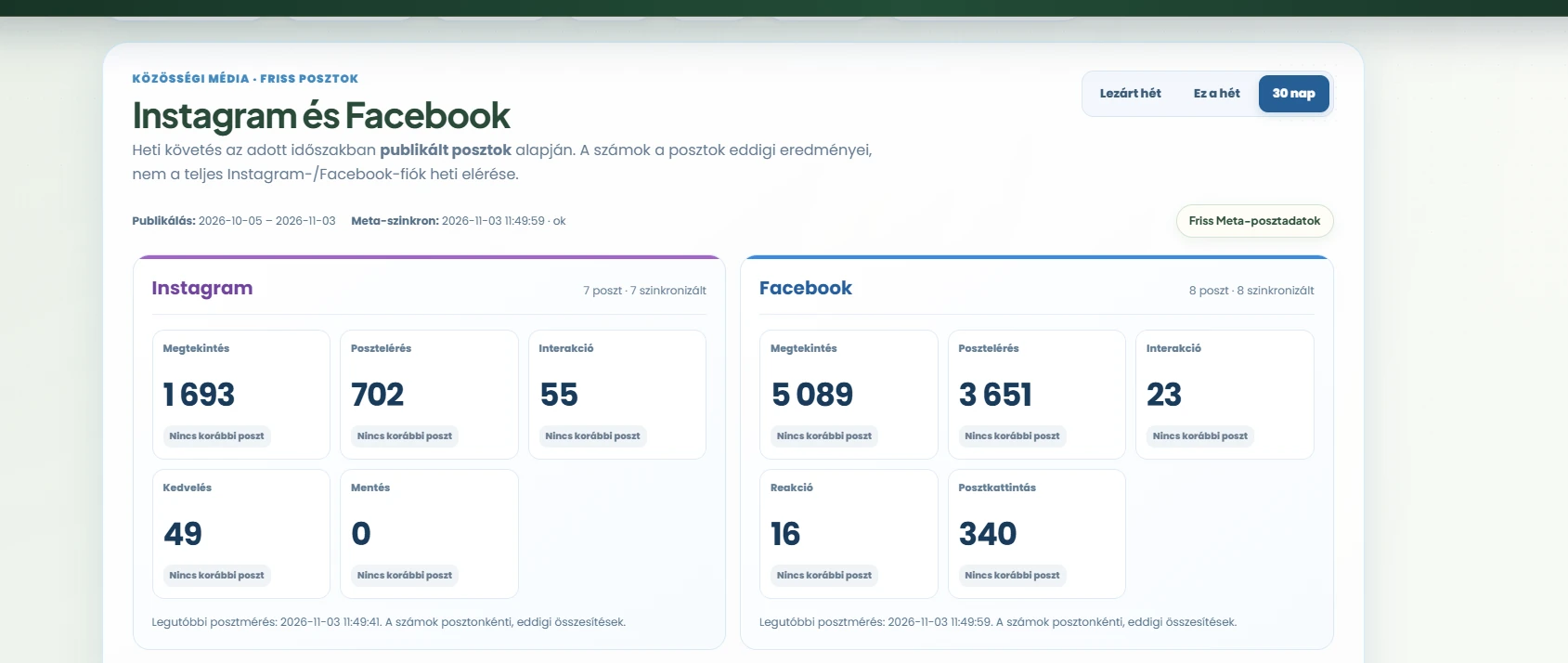
At Blasterr Design, I also use an internal admin tool to manage parts of my own business. It supports tracking enquiries and project statuses, organising social media activities and reviewing performance data.
The system also helps me follow information from Google Search Console, GA4 and social channels, alongside scheduled background tasks and backups. Rather than copying an existing CRM, I built a working environment around the tasks I actually handle regularly.
The CRM screenshot at the beginning of this article uses anonymised example records rather than actual customer details. The following social media dashboard is a real interface view showing how I review post performance in one place.
Excel, an off-the-shelf CRM or a custom system?
It helps to compare three different starting points:
- Excel or Google Sheets: often sufficient for limited records, clear ownership and straightforward reporting.
- Existing CRM or project software: usually quicker to introduce when the workflow is standard and the feature set fits.
- Custom dashboard or targeted integration: worth exploring when several systems need to work together, specialist approvals are required or existing tools involve too many workarounds.
Often the best solution is not an entirely new platform, but a specific feature added to an existing website or application. That is one of the possibilities we can assess through my custom web development service.
When could a custom dashboard pay for itself?
Start by measuring the current cost of the process. For example, a recurring task taking four hours each week adds up to roughly 17 hours in an average month. If part of it can be automated, you have a useful basis for comparison – but that alone does not prove that custom development is worthwhile.
Compare the realistic value of time saved and errors avoided against the total cost of planning, development, data migration, hosting, maintenance and future changes. Return on investment also depends on how often the tool will be used and whether the business process is stable.
A practical question: which single recurring task creates the most manual work or confusion each month? If you cannot clearly identify one, it may be better to map the workflow before investing in software.
How much does custom admin dashboard development cost?
A small internal tracker is very different from a multi-user business system that works with external data providers. There is no responsible fixed price without understanding the task. The main factors include:
- the number and complexity of data fields and features;
- user roles, permissions and approval steps;
- the quality of existing data and the XML/API integrations required;
- security, backups, testing and hosting needs;
- maintenance and potential future expansion.
It is important to consider the total cost of ownership, not just the initial build. If a ready-made product already solves the problem, it may be the better choice. For ordinary company websites, I cover a different pricing topic in my website development pricing guide; custom internal systems need a separate workflow-based estimate.
How do you move from Excel to a custom system?
The first step is not programming. It is understanding the current workflow. A sensible migration plan typically includes:
- Process inventory: identify where records live, who edits them and which source is authoritative.
- Focused first version: choose one useful feature instead of migrating every spreadsheet at once.
- Data cleaning: resolve duplicates, inconsistent fields, incorrect dates and missing values.
- Trial migration: validate imports, permissions, backups and important tasks with test data.
- Gradual rollout: decide clearly when the new system becomes the official source of information.
A web-based dashboard can also be made usable on mobile devices, but mobile workflows need deliberate design. Technology choices should follow the requirements, not lead them.
When is custom software the wrong choice?
If the current spreadsheet is reliable, only a few people use it and no significant manual duplication or integration problem exists, a new dashboard may add cost without meaningful value. The same is true if an existing CRM or project tool already meets the important requirements.
It may also be too early if the business process changes completely every week. Simplifying and standardising the workflow first makes any later automation much more effective.
Has your business outgrown its spreadsheets?
Tell me how the process works today, where manual work repeats and which data sources need to connect. We can assess whether a small automation is enough or whether a custom admin dashboard is justified.
Frequently asked questions
When should a business replace Excel with a custom dashboard?
When repeated data entry, multiple files and specialised workflows consistently waste time, and ready-made software cannot solve the problem well. Any expected benefit should be weighed against total costs.
Can existing Excel records be migrated?
Usually, although columns may need standardisation and incorrect or duplicate records should be cleaned first. The transition between the old and new system also needs a plan.
How much does a custom admin dashboard cost?
It depends on features, integrations, users and operating requirements. A useful estimate starts with a review of the data and workflow.
Is a custom dashboard more secure than Excel?
Not automatically. Security depends on appropriate access controls, logging, backups, maintenance and responsible operation.
The goal isn't replacing Excel – it's removing unnecessary work
Spreadsheets remain a good solution for many businesses. A custom admin dashboard becomes worth considering when manual coordination, data transfers and exceptions have grown beyond what a spreadsheet can comfortably manage.
Ildiana Tours' data processing and the internal Blasterr Design admin are two different examples of tailored web systems. The common lesson is to understand the real workflow first and only then choose the right tool.
If you'd like to explore what makes sense for your business, tell me briefly how your current process works. You don't need a technical specification to start the conversation.